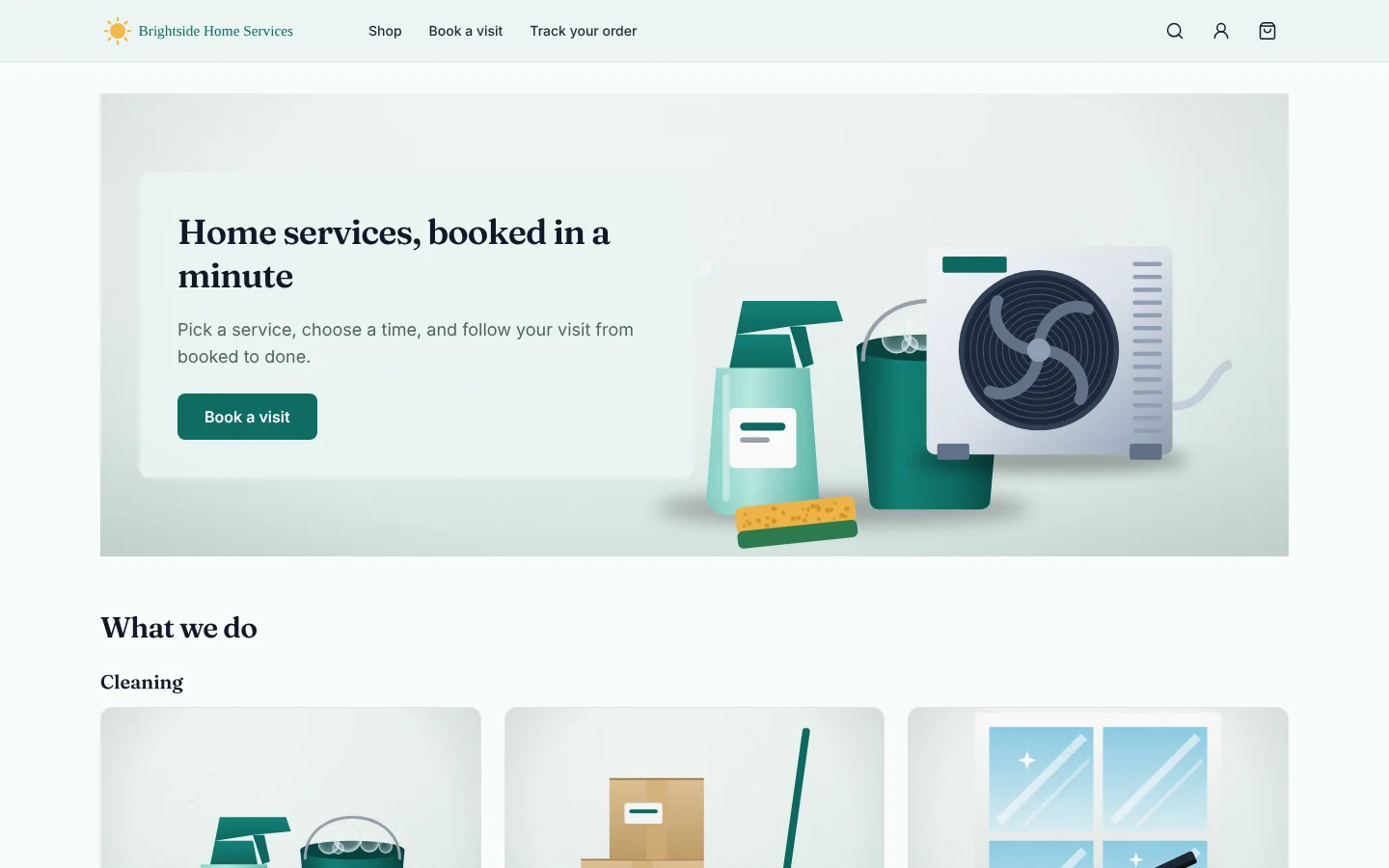
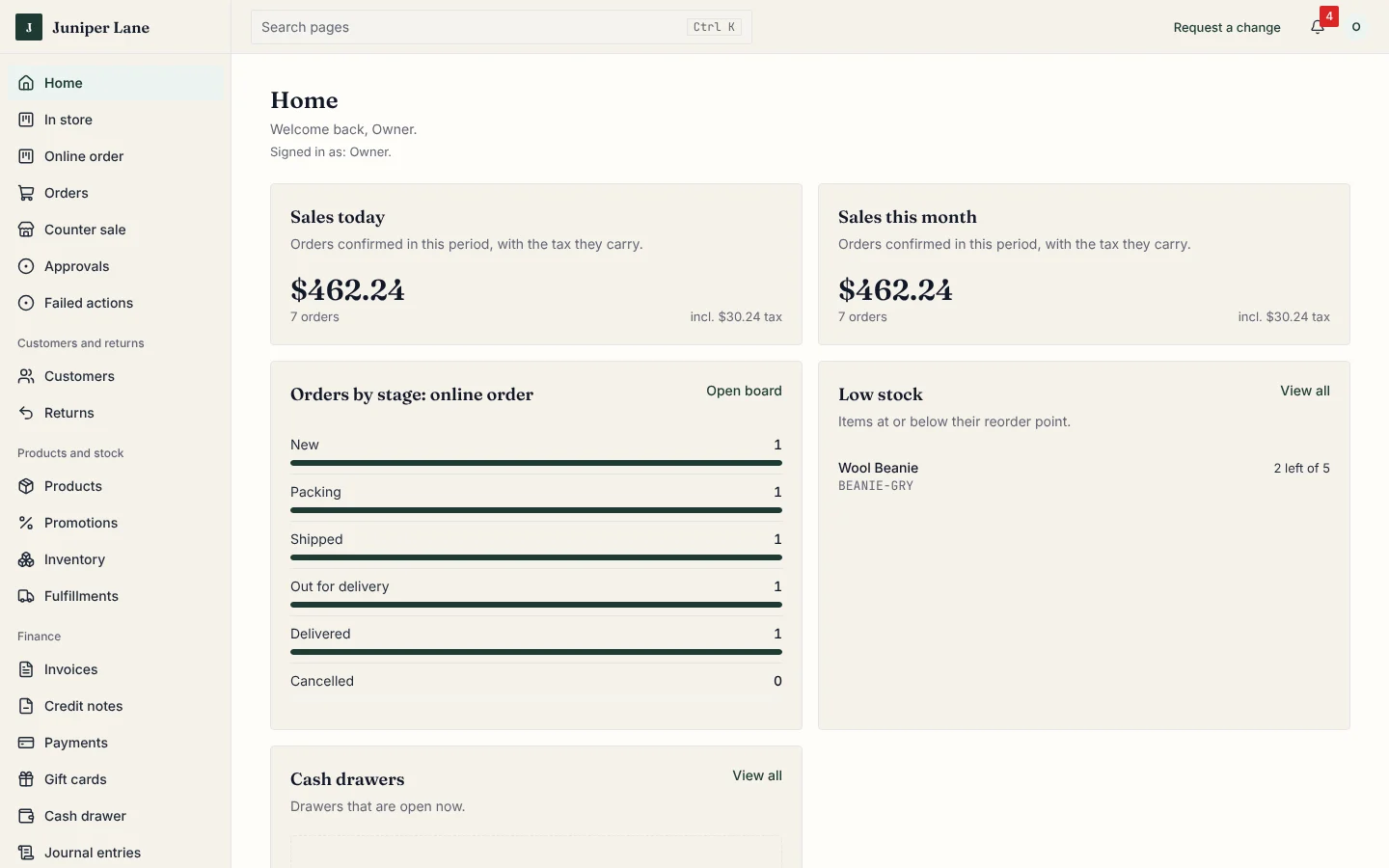
Customers ask for a quote or book a visit online. Your front desk assigns the job, your technician sees only their own, and the invoice is paid on site or sent the same day.
Free, online, 30 minutes. We prepare it for your home services.
Sound familiar?
The things that slow you down
Quote requests arrive by phone, text and email, with no photo of the problem, and some get lost.
The front desk and the technicians are on different pages about who goes where and when.
Technicians need the address and the notes in their pocket, not in a group chat.
Customers keep calling to ask when the technician is coming.
Jobs are done but the invoice goes out days later, or the payment is never recorded.
How AnyBiz handles it
Made for how a home services works
Quote requests with photos
Mark any service as quote-only. Customers describe the work, say where it is and attach photos. You reply with a price and they accept it online.
Example: A customer sends two photos of a leaking boiler and accepts your quote the same evening.
Visits at the customer's address
The booking asks for the address to visit. It shows on the booking, the calendar and the confirmation email, instead of your shop.
Example: A tune-up is booked for Thursday morning at 12 Cedar Court, with no phone call.
Technicians see their own jobs
Each technician has their own calendar and a jobs list with where to go. They start the job, log their time and add notes and photos. They do not see other people's work or your money.
Example: Eli opens his phone, sees today's three visits and starts the first one.
Customers can follow the job
Each visit moves through the stages you choose, and customers see the stage on their order page. Starting a job moves it to Work in progress by itself.
Example: The customer sees Booked, Technician on the way, Work in progress, Done.
Paid on site or invoiced the same day
Take cash, a check or a card payment when the work is done, or send the invoice. A job can only be closed once it is paid or invoiced.
Example: The work is done, the customer pays by card link, and the job closes.
See it work
No more empty chairs
A deposit at booking, a reminder text, and a one-tap checkout, so people turn up and you get paid.
What your customers see Your own look, on phones and computers.
What you see The day at a glance, with every order in its step.
A day with AnyBiz
MorningFront desk sees new quote requests and today's visits.
MiddayLook at the photos and reply to a quote with a price.
On the roadEach technician opens their own jobs and the address.
On the jobStart the job and log the time. Front desk records the payment.
EveningSend any invoices still open and see what is unpaid.
Questions
Questions home services owners ask
Can customers request a quote instead of paying up front?
Yes. You choose which services are quote-only. They can attach photos to the request.
Can customers pick their own visit time?
Yes, for services you let them book directly, and after they accept a quote for the rest. Your team can also book it for them.
Does a technician see everything?
No. A technician sees the visits and jobs assigned to them, and cannot see other people's jobs, invoices or your accounts unless you give that to their role.
Can I take payment on site?
Yes. Record cash or a check, or send a card payment link. You can also invoice and be paid later. A job can be closed only once it is paid or invoiced.
Who sets it up?
Our team sets it up with your services, areas, stages and brand before you start. You add and change services yourself afterwards.
Book your free 30-minute demo
Tell us about your home services and we will show AnyBiz set up the way you work.